About this product
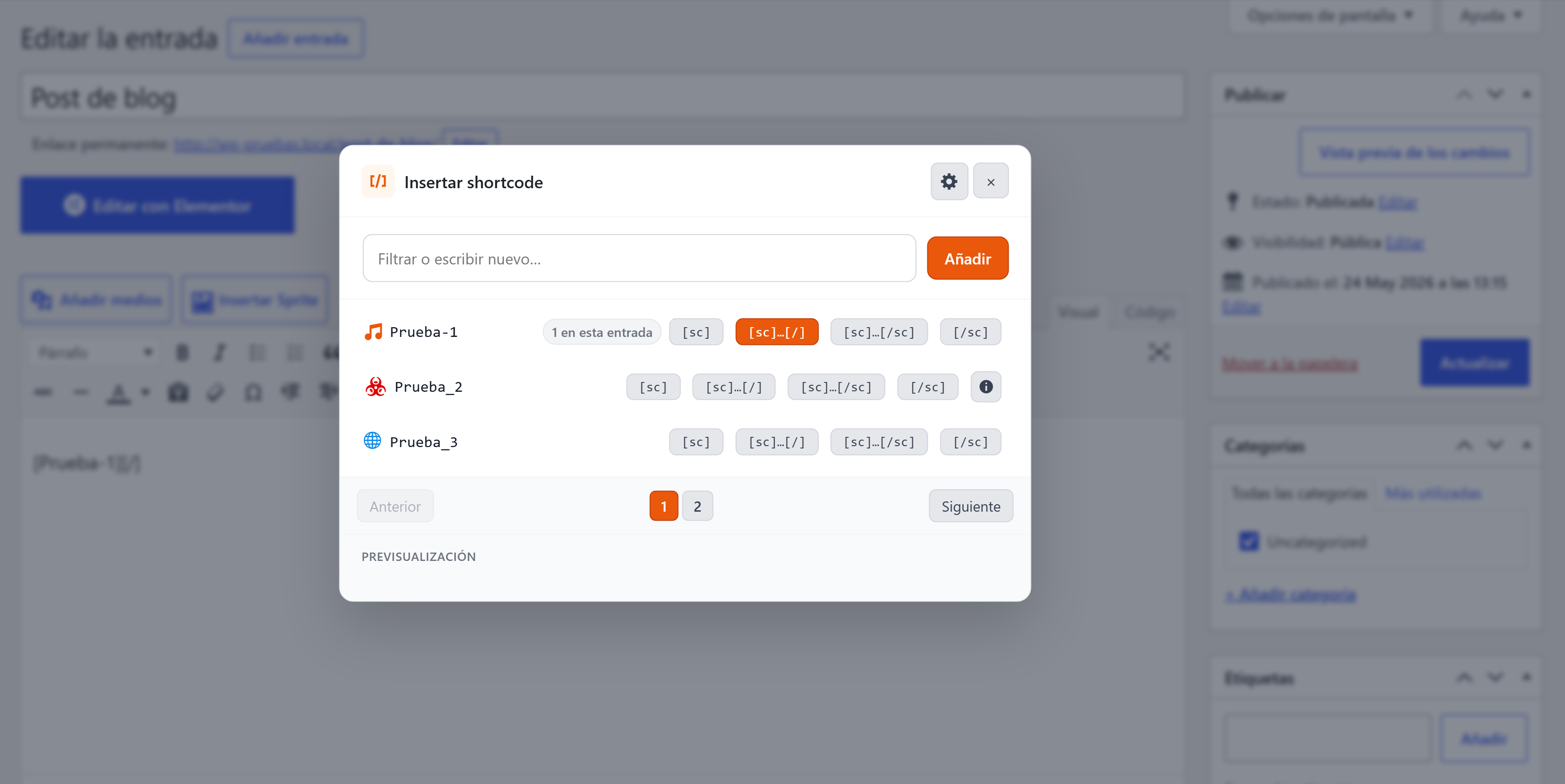
WP Simple Shortcode-In Pro turns your shortcode library into a shop floor. Group shortcodes into themed collections, install ready-made packs for the plugins you actually use, and keep every editor tab in sync.
Designed for agencies and power users who maintain several client sites with different shortcode mixes.
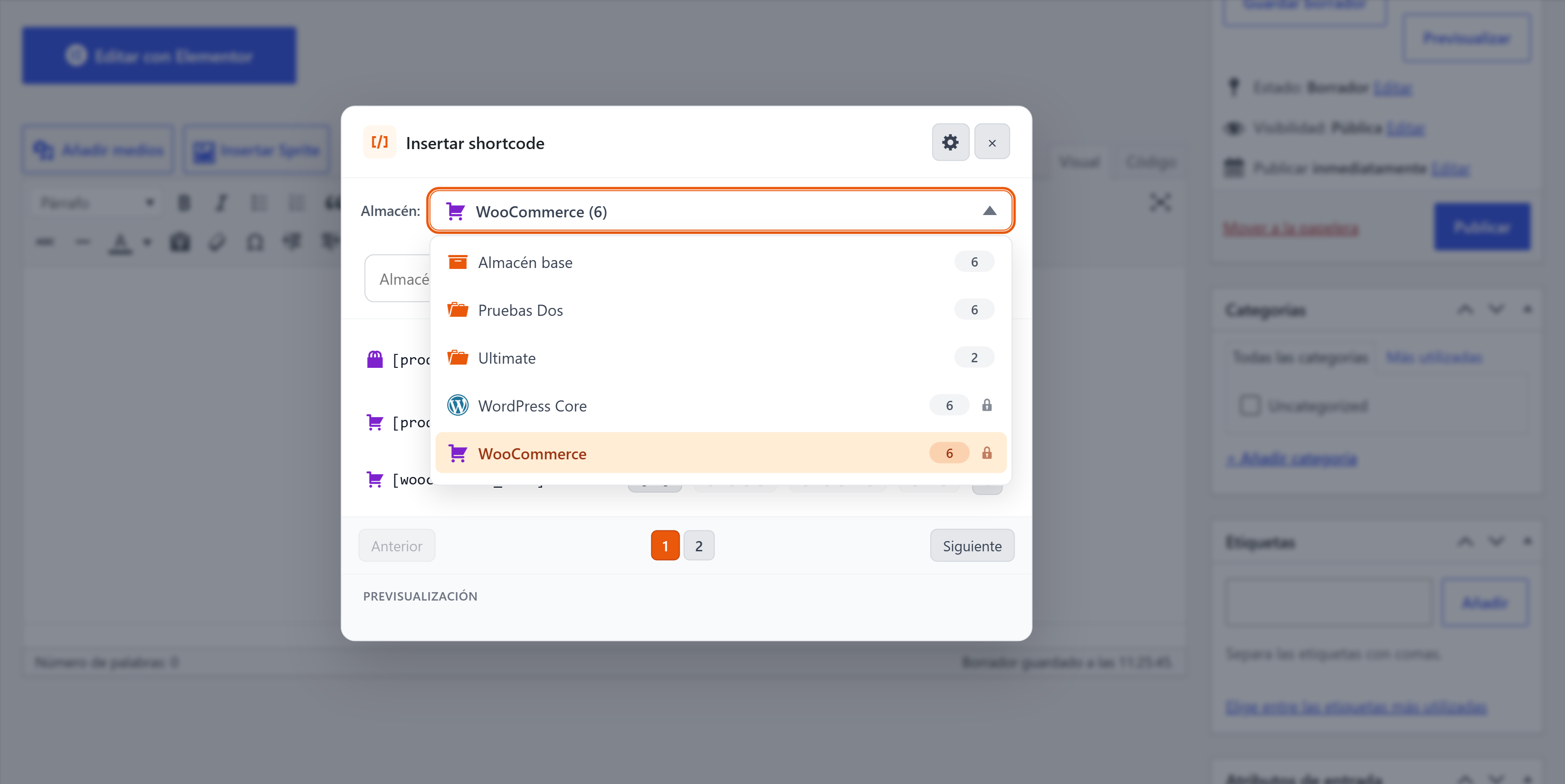
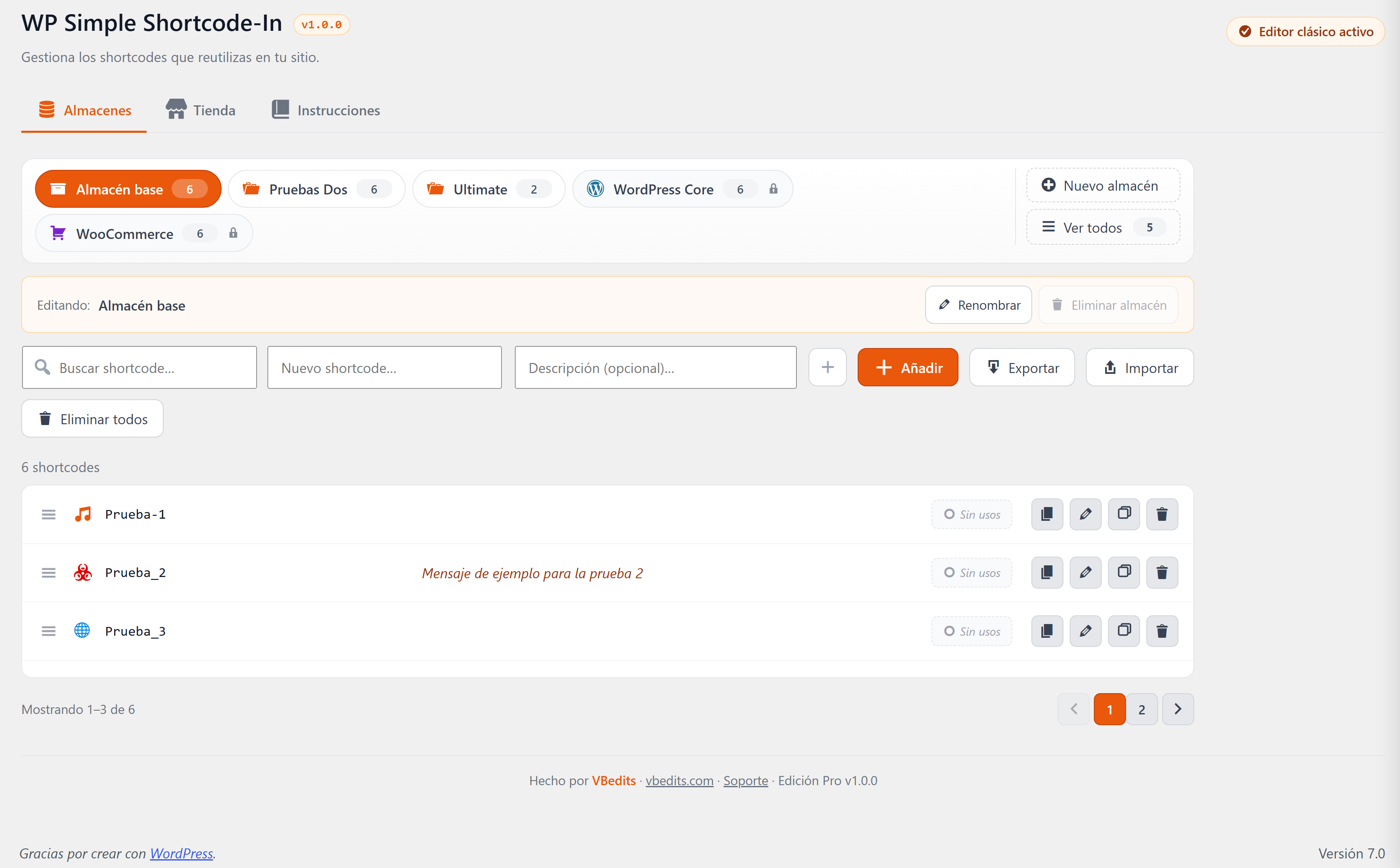
Multi-store system
- Data model based on stores (themed collections of shortcodes).
- Pre-installed "Base" store, plus all the stores you create yourself.
- Stores bar with active chips, shortcode counters, and a side sidebar with search for sites with many stores.
- Tab sync via
BroadcastChannel— add a shortcode in one tab, see it appear in the others. - Per-user preference: each author remembers the last store they opened.
Pack Store
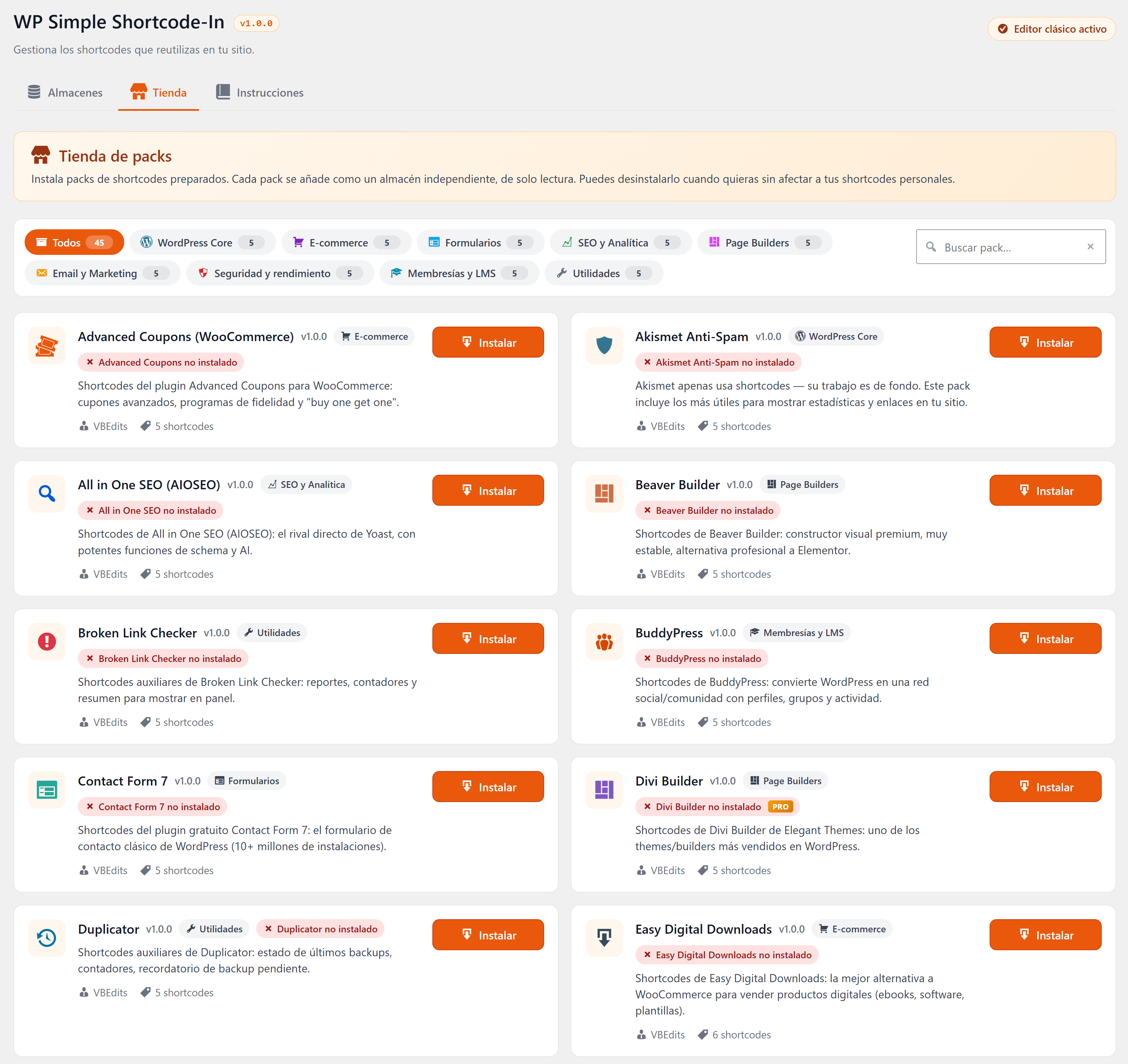
- 45 ready-made packs organised in 9 categories: Core, E-commerce, Forms, SEO, Builders, Email, Security, Membership, Utilities.
- One-click install. Each pack lands as a store with a lock icon.
- Search by name, description and tags.
- Target-plugin detection with 3 visual states: active, inactive, not installed.
- Auto-install of the target plugin from wordpress.org when it's free.
- 7 premium packs (MemberPress, Gravity Forms, WPBakery, Divi, WP Rocket, LearnDash, WPML) with a PRO badge and vendor link.
Everything from Lite
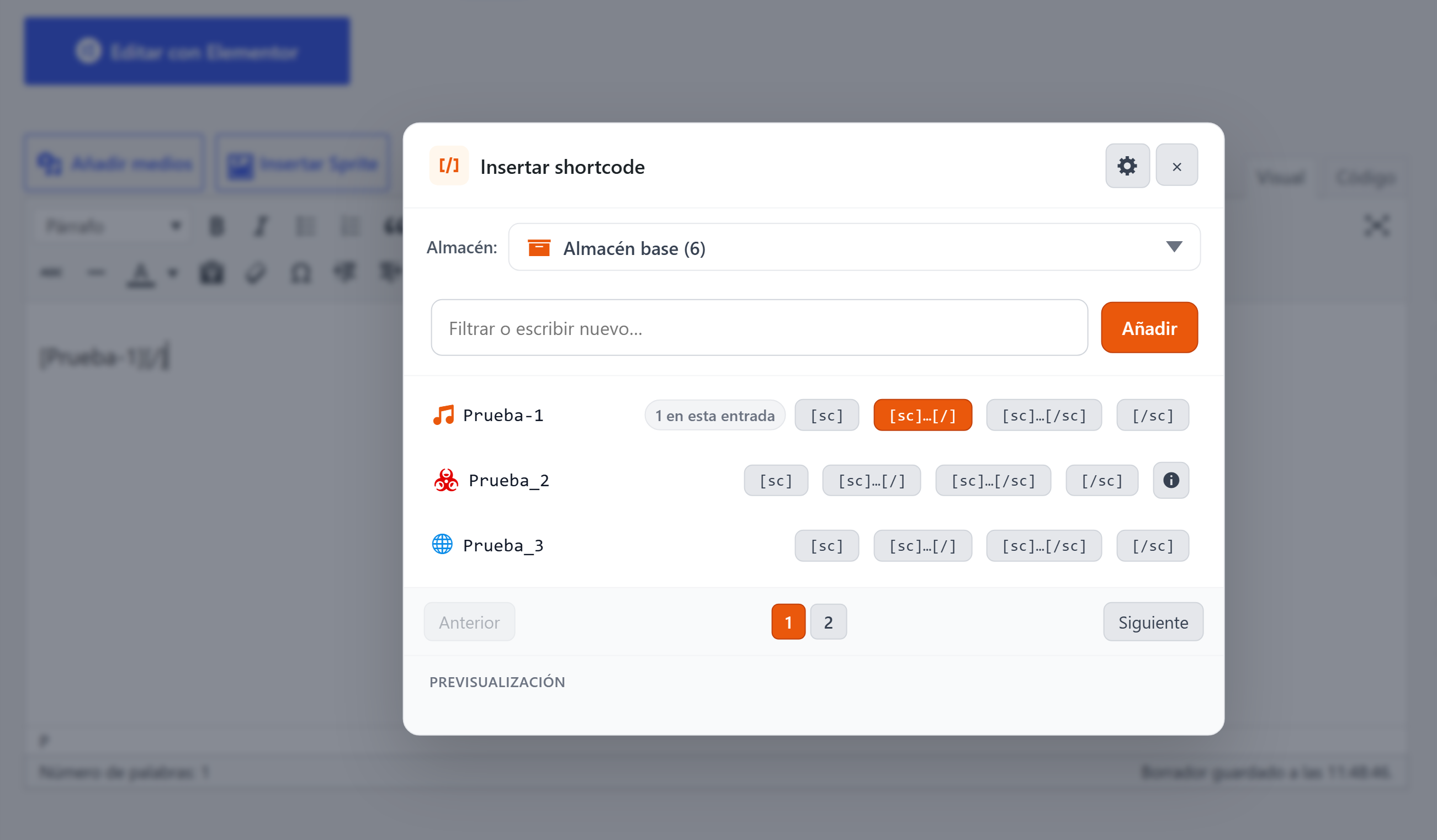
The toolbar button, the ~2,000-icon picker, drag-and-drop ordering, the three insertion modes, JSON import/export and the integrated manual are all included.
System Requirements
Classic Editor plugin active. WordPress 5.3+ PHP 7.0+
Compatibility
What's new in v1.0.0
2.0.0 — Major rewrite. Multi-store system, Pack Store, improved manager. Incompatible with the 1.x branch. 1.0.0 — Initial release (now shipped as the free Lite edition).
Automatic updates
When a new version ships, you receive an email with a one-click download link from your purchase, valid for 24h. Your license stays valid for every future version covered by your update window. See how the buy-and-install flow works for the full picture.
Frequently Asked Questions
¿Cuál es la diferencia entre Lite y Pro?
Lite es la experiencia clásica con una sola librería. Pro añade:
• Sistema multi-tienda — agrupa shortcodes en colecciones temáticas.
• Pack Store — 45 packs preconstruidos para plugins populares de WordPress.
• Sync entre pestañas vía BroadcastChannel. • Memoria de tienda por usuario.
• 7 packs premium (MemberPress, Gravity Forms, Divi, etc.). Si solo necesitabas "un botón que inserte mis shortcodes", Lite es la opción correcta. Si mantienes varios sitios de clientes o quieres organizar librerías de shortcodes por tema, quieres Pro.
¿Puedo instalar las dos ediciones a la vez?
No — Pro reemplaza a Lite. La ruta de actualización es: instalas Pro, desactivas Lite, y tu librería existente aparece como la tienda "Base" intacta.
¿Qué cubre la licencia?
Personal Perpetua: usa Pro en tantos sitios WordPress tuyos como quieras, para siempre. Incluye todas las actualizaciones futuras. Es una compra única — sin suscripción, sin renovación.
¿Los packs premium (MemberPress, Gravity Forms, etc.) están incluidos?
Los packs en sí están incluidos — es decir, recibes una librería preconstruida de shortcodes dirigida a cada uno de esos plugins. Sigues necesitando una licencia del plugin objetivo (nosotros no incluimos MemberPress, Gravity Forms, etc.).
¿Funciona Pro con el editor de bloques (Gutenberg)?
Ambas ediciones están hechas para el Editor Clásico de WordPress — necesitarás el plugin Classic Editor activo. El soporte para el editor de bloques está en la hoja de ruta.
¿Política de reembolso?
Reembolso a 14 días sin preguntas. Si Pro no encaja en tu flujo, escribe a support@vbedits.com y te devolvemos el dinero.